Routin Smart Route Planner
- 4.7
- Rating
- 1.00M
- Installs
- Free
- Price

 Analysis by App-foxy
Planning several stops in one outing sounds simple until the order starts working against you. I have used Routin Smart Route Planner for that exact problem: turning a loose list of destinations into one organized trip instead of entering each address separately and trying to remember the best sequence myself. It is a free Maps & Navigation app from Routin Inc, and its main appeal is easy to understand from the first screen: create a route, add stops, and plan a multi-stop journey in one place.
That focus makes it different from a standard navigation app. Google Maps, Apple Maps, and similar tools are excellent when I already know where I am going next. Routin is more useful before the driving begins, when I have several places to visit and need to think about the whole route rather than one turn at a time. I would not call it a replacement for every navigation service, but it can be a practical planning layer for errands, deliveries, appointments, property visits, and other days with repeated stops.
The app has been available since July 24, 2019, and its current version is 6.1.7. It is suitable for Everyone and works on Android 8.0 or later. Its 4.7 average from around 27 thousand ratings and more than a million installs suggest that the basic idea connects with many users. I still think the important question is not whether it is popular, but whether your day contains enough stops for route planning to save you time and attention.
You May Also Like

 Blood Strike: 2.5 Anniversary
Blood Strike’s Loadouts Turn Every Drop Into a Tactical Gamble
A close look at Blood Strike’s custom loadouts: how fast access to signature weapons reshapes its battle royale rhythm, rewards preparation, and narrows the gap between fights.

 Pandora - Music & Podcasts
Pandora’s Music Is Easy to Start, but Harder to Recover
Pandora’s strength is its low-effort path from a seed to a station. Its weak spot is how much confidence it asks you to place in connection, setup, and quiet recovery.

 8 Ball Pool
 Is Built on Rivalries, Rematches, and Routine
A close look at the rivalries, rematches, shared routines, and unanswered safety questions that turn a quick pool match into a persistent mobile community.

 Samsung Music
’s Quiet Strength Is Playing What You Already Own
Its reach comes less from spectacle than from dependable access to a personal library. That simplicity is both the app’s strongest retention engine and its ceiling.

 AccuWeather: Weather Radar
AccuWeather Review: A Quick, Clear Forecast for Everyday Decisions
For everyday plans, the best forecast is the one you can understand quickly. AccuWeather makes rain timing, radar, and local conditions easy to act on, with a few trade-offs.

 Hill Climb Racing
Why Hill Climb Racing Still Turns Crashes Into One More Run
A tiny car, a bumpy hill and one more upgrade: Hill Climb Racing keeps resurfacing because its simple chaos makes every near-miss feel personal.
More From Our News Desk



What the first launch feels like
My advice to a first-time user is to begin with a small, real trip rather than a complicated full-day schedule. Pick three or four places you already need to visit. That gives you a quick way to understand the workflow without becoming distracted by a long list of addresses, uncertain destinations, or last-minute changes.
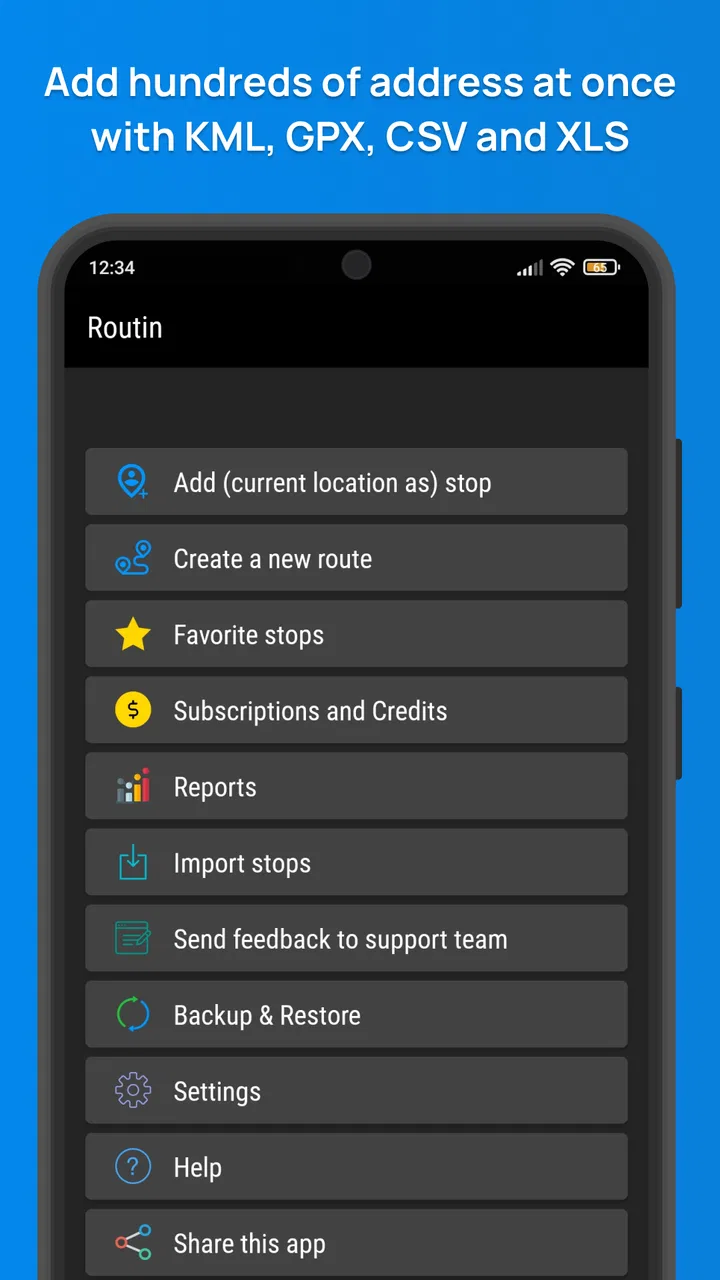
The central action is straightforward: create a route and add your stops. The useful shift in mindset is to treat the app as a preparation tool, not merely as another turn-by-turn map. I first decide which places belong to the same outing, then enter them together. Only after the complete list is visible do I judge whether the sequence makes sense.
This is especially helpful when the stops come from different sources. One address may be copied from a message, another remembered from a regular errand, and another found by searching. Keeping those destinations in one planned route reduces the mental switching that usually happens when I open a navigation app repeatedly.
There is also a practical distinction between a route and a destination. A normal map search often encourages me to think about the next place only. Routin encourages me to look at the entire chain. That makes it easier to notice an unnecessary backtrack before I leave home, when changing the order costs almost nothing.
Start with a route you can verify
For the first attempt, I would avoid entering vague names such as a business name that has several branches. Use the clearest destination entry available to you and check the result before adding another stop. A wrong branch can make an otherwise sensible plan look inefficient, so accuracy at the beginning matters more than speed.
I also recommend adding stops in a deliberate order at first, even if you expect the app to help arrange them. Starting with the place you must visit first and the place you must finish at gives the route a useful frame. Flexible errands can then be placed around those fixed points. This is one of the most useful habits I found because the shortest-looking route is not always the most convenient one.
For example, if I have a timed appointment in the middle of the day, I do not want an automatic arrangement to treat it like an ordinary stop. I build the route around that appointment, then use the remaining stops to fill the gaps. Route planning works best when I supply the human priorities that a map cannot infer from an address alone.
The first meaningful success
The moment the app becomes valuable is not when the first stop is entered. It is when I can look at the complete list and make a confident decision about the outing. I can see what needs to be visited, consider the order, and start the trip with less uncertainty. That is a modest result, but it is exactly the kind of small improvement that makes a planning app worth keeping.
A realistic example would be a Saturday with a pharmacy, a hardware store, a parcel drop-off, and a grocery shop. Without a planner, I might drive toward the first place that comes to mind, then improvise the rest. With Routin, I put all four stops into one route before leaving. If the order sends me across the same area twice, I can correct that early. If one stop has a fixed priority, I keep it in the right position and arrange the flexible errands around it.
That workflow is also useful for work. A technician visiting several properties can prepare the day’s addresses together instead of treating every visit as a separate navigation task. A local seller making deliveries can review the sequence before loading the vehicle. Someone helping a relative with errands can group destinations into one manageable plan. These are not glamorous uses, but they are where multi-stop planning earns its place.
The biggest practical benefit is reducing decisions while you are already on the road. I prefer to settle the broad order before driving, then use navigation for the immediate leg. That division keeps route planning and live driving guidance from competing for my attention.
What can feel confusing at first
The first point of friction is understanding what the app is responsible for. Routin is centered on organizing multiple stops; it is not simply a prettier version of a one-destination map. If I open it expecting the same search-and-go rhythm as a conventional navigation app, the route-building step may initially feel like extra work. In practice, that extra step is the reason to use it.
Another possible confusion is assuming that every route should be optimized purely for distance or speed. Real trips have constraints that are not visible in the address list. A shop may close earlier, a customer may expect a particular arrival window, or I may want to avoid carrying heavy purchases through several later stops. I treat any suggested order as a starting point and apply common sense before accepting it.
Address quality can also affect the experience. Apartment complexes, large campuses, shopping centers, and businesses with multiple locations require more checking than a simple street address. I do not blame the planner for every ambiguity, but I do consider verification part of the setup. A route is only as useful as the destinations placed into it.
There is a further trade-off for people who rarely make multi-stop journeys. If most of your trips involve one familiar destination, opening a dedicated route planner may feel unnecessary. A regular maps app will usually be faster for that situation. Routin makes more sense when the number of stops creates enough complexity to justify preparing them together.
How I would use it beyond the first trip
Once the basic workflow is comfortable, I would use the app for recurring patterns rather than only unusual days. A weekly set of errands, a sequence of client visits, or a delivery run can all benefit from the same habit: gather the destinations first, inspect the overall route, and only then begin navigating.
One useful technique is to separate fixed stops from flexible ones. Fixed stops include appointments, closing-time errands, or a final destination where I need to arrive with a certain amount of energy left. Flexible stops include places that can be visited in either order. This lets me use route planning without surrendering control to an abstract idea of efficiency.
I also find it helpful to prepare a route shortly before leaving, when I know which stops are actually relevant that day. Building an enormous list in advance can create clutter and make the route harder to read. A focused route is easier to check, easier to adjust, and less likely to contain an outdated destination.
For a family outing, I would decide whether the route should prioritize the shortest drive, the simplest parking pattern, or the least stressful sequence. Those goals can conflict. A supermarket may be convenient at the end because of heavy bags, even if another order saves a small amount of driving. The app handles the structure, while I make the decision that reflects the real day.
Free access and the paid boundary
Routin is free to download and use, with in-app purchases ranging from $2.99 to $11.99 per item. That makes it easy to test the core idea before deciding whether the app deserves a place in your routine. I would begin with ordinary errands and judge whether the planning step genuinely saves time or reduces stress.
The paid boundary is worth considering if you are a frequent route planner, but I would not assume that paying automatically solves every planning problem. A subscription or purchase cannot correct a poorly chosen destination, an unrealistic schedule, or a route that ignores personal priorities. The value depends on how often multi-stop organization matters to you.
For occasional users, the free starting point is reassuring. For people who plan routes professionally or several times each week, the cost should be weighed against the time saved and the convenience of having a dedicated workflow. I would make that decision after several real trips, not after a single test with ideal addresses.
Who should choose it, and who should skip it
I would recommend Routin to anyone who regularly visits several places in one outing and dislikes improvising the order. It is particularly suitable for independent workers, delivery drivers, caregivers, salespeople, field service staff, and busy households. The app gives those users a place to assemble the day before live navigation takes over.
I would be more cautious if your needs are centered on public transit, cycling, walking, or live traffic intelligence rather than multi-stop organization. A specialist service built around those priorities may be a better primary tool. Likewise, if you only need directions to one place at a time, the additional route-building stage may not justify changing your habits.
It is also not the right choice for someone who wants the app to make every logistical decision automatically. I still need to think about opening hours, appointments, parking, loading, breaks, and the practical order of the day. Routin can organize destinations, but it does not replace judgment.
My final take for a first-time user
I see Routin Smart Route Planner as a focused tool for the awkward space between collecting destinations and actually driving to them. Its strength is not flashy discovery; it is the simple discipline of putting several stops into one plan and reviewing the sequence before the trip begins. That is more valuable than it sounds when a busy day contains repeated backtracking and constant navigation changes.
The best way to try it is to create one small route, add a few clear stops, keep any appointment or final destination in mind, and inspect the result before leaving. If that first route makes the outing easier to understand, repeat the process with a more demanding day. If your trips are almost always single-destination journeys, your usual maps app will probably remain the quicker choice.
With an Everyone age rating and support for Android 8.0 or later, it is accessible to a broad range of users. The developer, Routin Inc, has kept the concept focused enough that I can explain its purpose in one sentence: it helps me plan a day with several destinations before I start navigating. For that specific job, I find it useful, practical, and worth trying—provided I remember that the smartest route is the one that fits my real priorities, not merely the one that looks shortest on a screen.
FAQs for Routin Smart Route Planner
01What is Routin Smart Route Planner used for?
Routin Smart Route Planner is designed to organize and optimize routes with multiple stops. It can be useful for delivery drivers, field technicians, sales representatives, couriers, and anyone planning several errands in one trip. After entering destinations, the app helps arrange them in a more efficient order, reducing unnecessary driving and making a busy schedule easier to manage.
02Can Routin Smart Route Planner optimize a route with many stops?
Yes, the app is built specifically for multi-stop route planning. You can add several addresses and let Routin calculate a practical sequence instead of visiting locations in the order they were entered. The exact number of stops, optimization options, and available features may depend on the device, app version, or subscription plan, so users with large delivery lists should check the current limits before downloading.
03Does Routin provide turn-by-turn navigation?
Routin focuses primarily on planning and optimizing the order of stops, while navigation may be completed through an integrated or connected mapping application. This means it can help prepare the route, but users should confirm which navigation services are supported on their Android or iOS device. It is also wise to review the route before driving, since traffic, road closures, and restricted-access roads can affect the suggested plan.
04Is Routin Smart Route Planner free to use?
The app may be available to download at no initial cost, but some functions can be restricted by in-app purchases, subscriptions, or usage limits. Advanced route optimization, larger stop lists, saved routes, or professional tools may not all be included in the basic version. Before committing to a plan, review the current store listing and subscription details, including renewal terms and any trial conditions.
05What information should I prepare before creating a route?
For the best results, prepare accurate addresses, postal codes, business names, delivery notes, and any time restrictions associated with each stop. Clean and complete address data helps the app locate destinations correctly and prevents unnecessary corrections later. If your work involves appointments or deliveries, you should also consider opening hours, priority stops, vehicle limitations, and real-time traffic before following the generated route.
Pros
- Optimizes multiple stops to reduce unnecessary driving and fuel use.
- Clear route overview makes daily schedules easier to manage.
- Useful for deliveries
- errands
- field visits
- and other multi-stop trips.
- Supports importing or adding several destinations in one planning session.
- Helps estimate arrival times and organize stops more efficiently.
Cons
- Best route optimization features may require a paid subscription.
- Results depend on accurate addresses and reliable map data.
- Large stop lists can take time to process or adjust manually.
- Frequent route changes may require rebuilding the plan.
- Continuous navigation and GPS use can drain your phone battery.

Routin Smart Route Planner
Gallery